

Building Voxpad: A 3D Voxel Editor in the Browser
Why Voxel Editors?
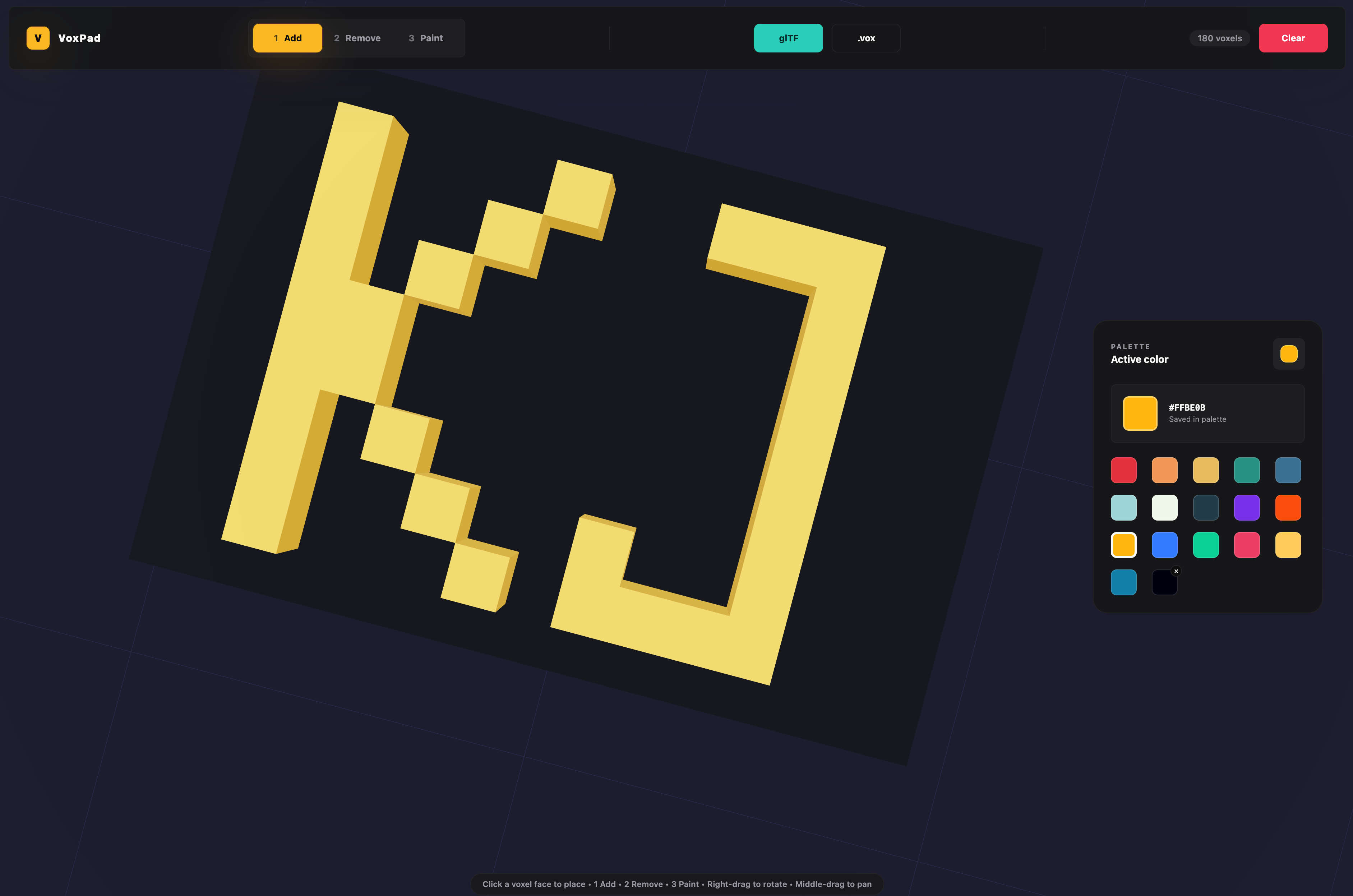
Voxels (3D pixels) are the digital building blocks of modern retro games, 3D resumes, and lightweight prototypes. Working on my Cyberpunk Voxel City Interactive Resume made me realize how convenient it would be to have a clean, browser-based sandbox to edit and draft voxel layouts directly in the browser—without opening heavy desktop software.
To fill this gap, I built Voxpad: a modern, web-native voxel editor.
- GitHub Repository: github.com/kjaniec-dev/voxpad
- Live App: voxpad.kjaniec.dev
Technical Stack & Features
Voxpad was designed from the ground up to be lightweight, modular, and fast:
| Layer | Technology |
|---|---|
| Framework | React + TypeScript |
| 3D Renderer | Three.js via React Three Fiber (R3F) & @react-three/drei |
| Build System | Vite |
| Design & Primitives | @kjaniec-dev/design & @kjaniec-dev/ui |
| Deployment | Netlify |
Key Features
- Interactive 3D Grid: A canvas where you can add, paint, rotate, and erase voxel blocks in real time. Features full orbit camera controls, bounding grid helpers, and dynamic lighting.
- Unified UI System: Voxpad is one of the first production adopters of my custom visual packages,
@kjaniec-dev/designand@kjaniec-dev/ui. It leverages glassmorphic sliders, input controls, custom buttons, and palette selectors from the UI kit to create a consistent, state-of-the-art interface. - Advanced Painting & Toolbars: Support for block extrusion, multi-select transformations, undo/redo stacks, brush settings (size, opacity, hardness), and hierarchy panels for grouping meshes.
- Voxel Layers: Group blocks into separate layers (e.g., base grids, buildings, neon signs) to toggle visibility and lock/unlock specific structures for easier scene modeling.
The Power of Custom Design Tokens
By building Voxpad using @kjaniec-dev/design and @kjaniec-dev/ui, the developer experience was outstanding. Styling the complex sidebar sliders (for brush size, opacity, and coordinate offsets) or the active color swatches took absolute minimal code. The theme definitions—like light/dark mode behavior and button border-radius constraints—automatically synced with my central design system npm package.
This showcases the exact workflow I envisioned: bootstrapping a complex web application in days by pulling visual tokens and accessible components straight from a personal UI kit library.
Getting Started
To run the voxel editor locally on your machine:
# Clone the repository
git clone https://github.com/kjaniec-dev/voxpad
cd voxpad

# Install dependencies
npm install

# Start the Vite development server
npm run dev
Open http://localhost:5173 in your browser. The production build is compiled directly to a static /dist directory via npm run build and automatically deployed to Netlify via a configured netlify.toml pipeline.
What's Next
Voxpad represents a solid foundation for browser-based 3D modeling. Future extensions include adding export options for standard formats (like .vox, .obj, or .gltf), adding custom shader passes for voxel glow/bloom effects, and implementing collaborative multiplayer modeling rooms using WebSockets.